
The MacBook Pro has always been a preferred choice for creatives, but that doesn’t mean there’s nothing else on the market anymore. The year is 2026, and Windows laptops have really come a long way, offering premium build quality, stunning displays, and powerful processing capabilities that genuinely compete with the best of Apple’s MacBook lineup.
For some creative professionals, Apple’s MacBook Pro line is simply the gold standard of work laptops — but most of users either need or genuinely prefer Windows. That’s where we come in.
We’ve been testing and reviewing laptops for over 5 years, putting each one through real-world creative workloads — from media editing and graphic design to video rendering and multitasking on heavy applications. Our expert reviewers evaluate everything that matters: productivity performance, graphics power, screen quality, battery life, speakers, extra features, and whether the overall value justifies the price tag.
Deeper Dive: Our Top Tested Windows Laptops
Pros & Cons
 Vivid OLED screen
Potent flagship Intel chip
Class-leading battery life
Premium metal build
Standout 4K webcam and high-fidelity speakers
Warranty includes a year of onsite coverage
 Pricey configurations
All ports are Thunderbolt/USB Type-C
Why We Picked It
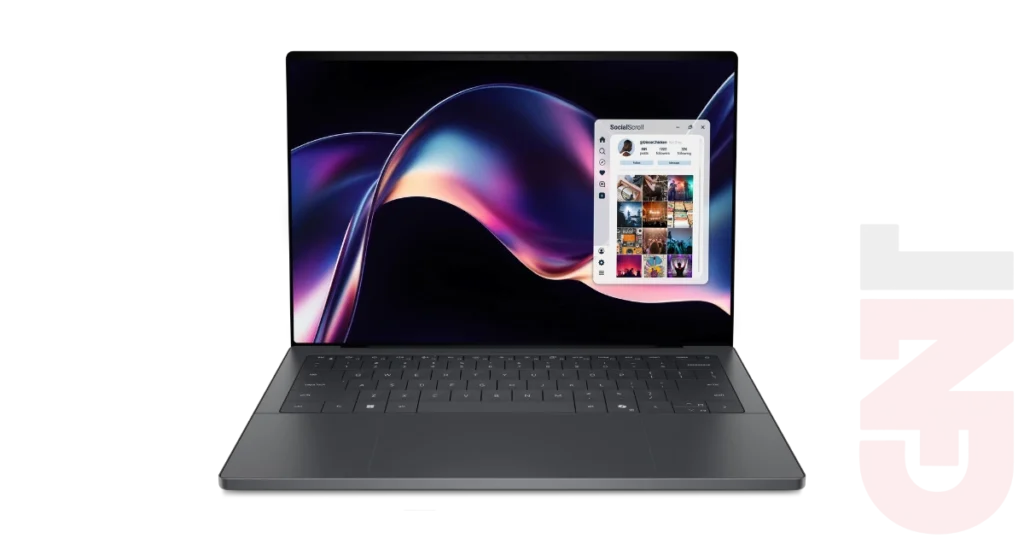
After a brief hiatus, Dell brought the XPS line back with a bang — and it’s clear Dell has set its sights on the premium laptop market. The XPS 14 (2026) balances a refined aesthetic with a resilient build — engineered to endure the heavy-duty usage and constant mobility that today’s top creators demand.
It doesn’t come with a dedicated graphics chip, but that’s not necessarily a dealbreaker. Much like Apple’s M-series silicon, the Intel Core Ultra X7 358H “Panther Lake” CPU in our review unit packs integrated graphics powerful enough to handle demanding visual applications and even hold its own in gaming sessions. Add in a gorgeous OLED display, a razor-sharp 4K webcam, and surprisingly rich speakers, and you’ve got a Windows laptop that doesn’t ask you to compromise on the finer details.
Who It’s For
Traveling professionals: The XPS 14 is built for busy, demanding office workers and media editors on the fly. Weighing only three pounds and lasting 21 hours in our battery life rundown test, this machine is ready to keep you working at home, at the office, or on the go.
Content creators: The graphics capabilities of the Intel Core Ultra X7 358H CPU provide more power in a slim form, making it ideal for the lifestyle and needs of today’s content creation. This laptop allows you to edit photographs and movies without the need for a discrete GPU, wherever you need to do so.
Specs & Configurations
| Class | Ultraportable |
| Processor | Intel Core Ultra X7 358H |
| RAM (as Tested) | 32 GB |
| Boot Drive Type | SSD |
| Boot Drive Capacity (as Tested) | 1 TB |
| Secondary Drive Type | – |
| Secondary Drive Capacity (as Tested) | – |
| Screen Size | 14 inches |
| Native Display Resolution | 2880 by 1800 |
| Touch Screen | Yes |
| Panel Technology | OLED |
| Variable Refresh Support | None |
| Screen Refresh Rate | 120 Hz |
| Graphics Processor | Intel Arc B390 |
| Graphics Memory | – |
| Wireless Networking | Wi-Fi 7, Bluetooth 6 |
| Dimensions (HWD) | 0.58 by 12.2 by 8.3 inches |
| Weight | 3 lbs |
| Operating System | Windows 11 Home |
| Tested Battery Life (Hours:Minutes) | 21:02 |
Pros & Cons
Potent CPU performance
Stunning OLED display
Durable chassis
Robust speaker system
Crisp, satisfying keyboard
Pricey base configuration
Why We Picked It
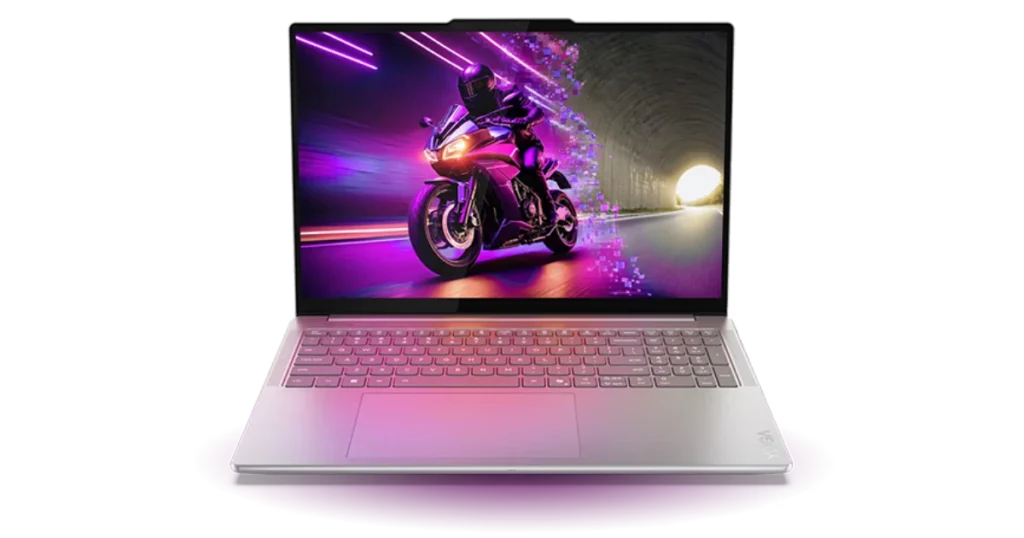
The best choice for an alternative to Macbook Pro Windows for 16-inch laptops is none other than Lenovo Yoga Pro 9i Gen 10 Aura Edition, with its sleek and tough body design, bright OLED display, and excellent keyboard experience.The laptop’s Intel Core Ultra 9 285H provides a great performance, while the Nvidia RTX 5050 is enough to handle moderate graphic tasks. Lenovo’s Yoga Pro 9i successfully balances all of the specifications required to replace the MacBook Pro, including the thin build, an excellent display, and rapid processing.
Who It’s For
Professional power users: For those who always multitask, switch among several tabs, open several windows and applications, and perform complex data calculations, the Yoga Pro 9i is the perfect device. This device is both powerful and versatile and was designed using premium-grade components.
Media editors: Just as the 16 inch MacBook Pro, the laptop will appeal to all the creatives who want an impressive and powerful display coupled with some graphics capabilities. One of the reasons why we chose the laptop is the discrete GPU that though not top class but capable of handling visual tasks.
Specs & Configurations
| Class | Desktop Replacement |
| Processor | Intel Core Ultra 9 285H |
| RAM (as Tested) | 32 GB |
| Boot Drive Type | SSD |
| Boot Drive Capacity (as Tested) | 1 TB |
| Secondary Drive Type | – |
| Secondary Drive Capacity (as Tested) | – |
| Screen Size | 16 inches |
| Native Display Resolution | 2880 by 1800 |
| Touch Screen | Yes |
| Panel Technology | OLED |
| Variable Refresh Support | None |
| Screen Refresh Rate | 120 Hz |
| Graphics Processor | Nvidia GeForce RTX 5050 Laptop GPU |
| Graphics Memory | 8 GB |
| Wireless Networking | Wi-Fi 7, Bluetooth 5.4 |
| Dimensions (HWD) | 0.7 by 14.3 by 10 inches |
| Weight | 4.25 lbs |
| Operating System | Windows 11 |
| Tested Battery Life (Hours:Minutes) | 15:04 |
Pros & Cons
Unparalleled build quality at its size
Powerful enough for modern 60fps-plus gaming
Sharp 120Hz 3K OLED screen
Long battery life
User-upgradable SSD
High cost of entry
Larger laptops at this price offer superior GPUs
Pros & Cons
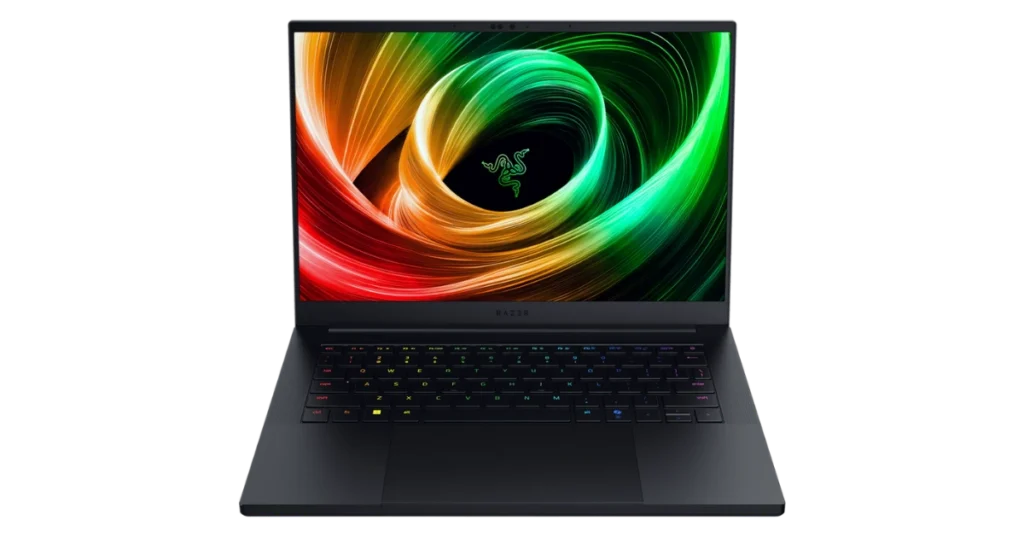
Built entirely from metal, slim, having an attractive screen, and boasting robust components, Razer’s Blade 14 could very well be considered the natural successor to the high-end MacBook Pro series. In many ways, the 14-inch Razer laptop serves much the same purpose as the 14-inch MacBook Pro.Clearly not as much of a substitute as far as the screen is concerned, as compared to the 16-inch MacBook Pro, but you cannot ignore its top-tier construction along with its performance capability. This laptop model features the AMD Ryzen AI 9 365 processor, together with a strong Nvidia GeForce RTX 5070 graphics card.Most laptops of this size are not as well-equipped as the Blade, which boasts a rich feature set and a long battery life all in a sleek form.
Pros & Cons
Luxury shoppers: Of course you will be able to get notebooks with even better price-performance, in case price-performance is all that you care about. However, the Blade 14 is intended for people who need something extra in addition to price-performance, specifically an elegant design and superior build quality.
Gamers on the go: While you may be looking for this device primarily as a mobile professional or content maker, the Blade is also game-ready. Razer is primarily a gaming firm, but it has a significant crossover with media editors and content creators since its systems are compact and appealing, and they carry serious graphics power.
Specs & Configurations
| Class | Gaming, Ultraportable |
| Processor | AMD Ryzen AI 9 365 |
| RAM (as Tested) | 32 GB |
| Boot Drive Type | SSD |
| Boot Drive Capacity (as Tested) | 1 TB |
| Secondary Drive Type | – |
| Secondary Drive Capacity (as Tested) | – |
| Screen Size | 14 inches |
| Native Display Resolution | 2880 by 1800 |
| Touch Screen | No |
| Panel Technology | OLED |
| Variable Refresh Support | G-Sync |
| Screen Refresh Rate | 120 Hz |
| Graphics Processor | Nvidia GeForce RTX 5070 Laptop GPU |
| Graphics Memory | 8 GB |
| Wireless Networking | Wi-Fi 7, Bluetooth 5.4 |
| Dimensions (HWD) | 0.64 by 12.2 by 8.8 inches |
| Weight | 3.6 lbs |
| Operating System | Windows 11 Home |
| Tested Battery Life (Hours:Minutes) | 11:37 |
Pros & Cons
A nearly perfect portable PC
Remarkably light
Gorgeous 2.8K OLED display
Fine keyboard
Generous array of ports for its size and profile
No SD or microSD card slot
WWAN option not available yet
Why We Picked It
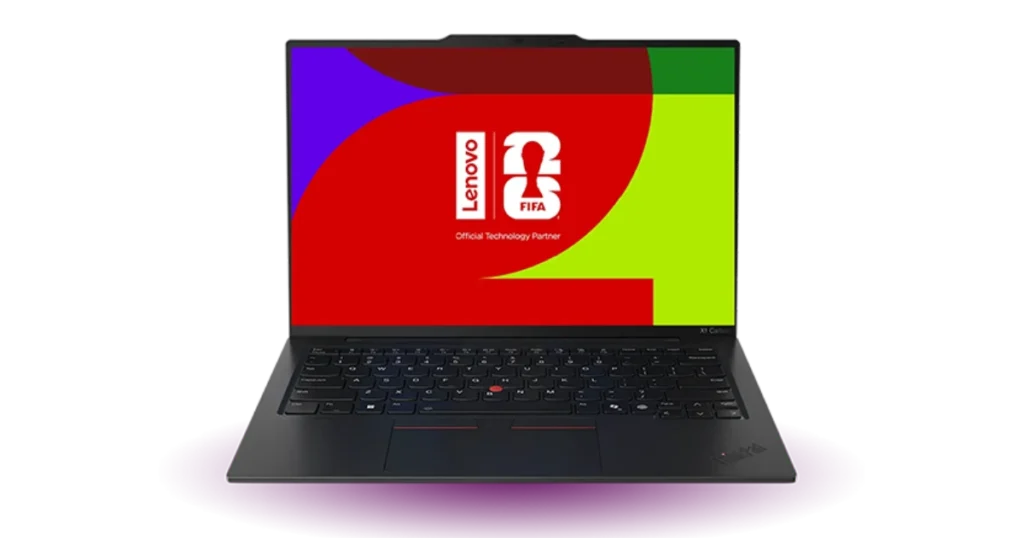
You must have observed the increasing popularity of the MacBook Pro for professionals. Although there are other more affordable or attractive devices in the business world, nothing comes close to matching the Lenovo ThinkPad X1 Carbon Gen 13 Aura Edition.It won a rare five-star rating from us because of its stylish and comfy design, high speed, productivity-oriented capabilities, and longevity. Although ThinkPad’s design might not be as attractive as that of a MacBook Pro, it can be called “nearly perfect portable PC” by our reviewer for one simple reason – it is extremely lightweight, slim, and has an amazing 2.8K OLED display.
Who It’s For
Executives: However, the chances of you installing the system in such a way that everyone uses it will be minimal, but this system will be extremely advantageous for those in positions of influence. The new version of the ThinkPad X1 Carbon is compact, fast, full-fledged, and amazing in its design.
Mobile power users: If you are self-employed or require a productivity monster for your small business (and money is not an issue), then this laptop is definitely a treat to own. You might not be requiring most of the corporate-friendly options, and thus, this laptop becomes an absolute joy to use. But beware of the graphics capabilities that fall behind the MacBooks.
Specs & Configurations
| Class | Business, Ultraportable |
| Processor | Intel Core Ultra 7 258V |
| RAM (as Tested) | 32 GB |
| Boot Drive Type | SSD |
| Boot Drive Capacity (as Tested) | 512 GB |
| Secondary Drive Type | – |
| Secondary Drive Capacity (as Tested) | – |
| Screen Size | 14 inches |
| Native Display Resolution | 2880 by 1800 |
| Touch Screen | No |
| Panel Technology | OLED |
| Variable Refresh Support | 2880 by 1800 |
| Screen Refresh Rate | 120 Hz |
| Graphics Processor | Intel Arc Graphics 140V |
| Graphics Memory | No |
| Wireless Networking | Wi-Fi 7, Bluetooth |
| Dimensions (HWD) | 0.56 by 12.3 by 8.5 inches |
| Weight | 2.17 lbs |
| Operating System | Windows 11 Pro |
| Tested Battery Life (Hours:Minutes) | 19:49 |
Pros & Cons
Ultra performance
Top-end build quality
Vivid display
Supports 256GB RAM, four storage drives
Excellent connectivity and security
Pricey
No 4K or OLED screen options
Short battery life
Why We Picked It
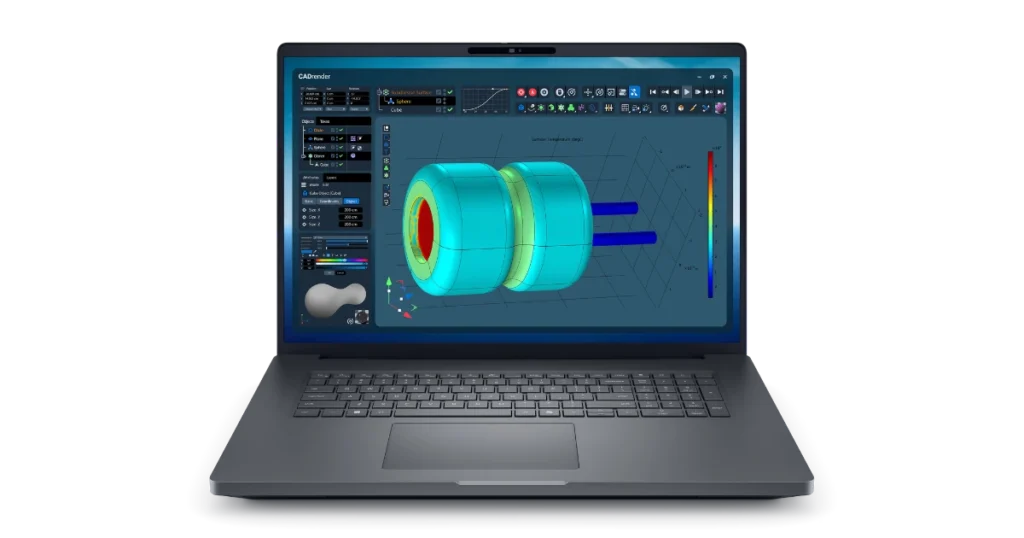
A number of powerful laptops will be found in this list, yet the biggest workstations belong to a different category. The Dell Pro Max 18 Plus represents an ultra-high-performing laptop that is quite extensible and heavy-duty. While smaller laptops will be found in this list, workstations represent powerful computers, which may weigh more than this model. Its Intel Core Ultra 9 285HX processor, Nvidia RTX Pro 5000 graphics card, and 128GB of ECC memory provide lightning-fast speed on any professional workload. The laptop’s screen resolution is high, it can be easily upgraded and connected, and it features a MacBook-like design, a luxury not common to the workstations-and-laptops-oriented market.
Who It’s For
True performance hounds: The Dell Pro Max 18 Plus is undoubtedly made for those who prioritize performance. Video editors, software developers, animators, engineers, and data scientists will find that such specifications are necessary. (It’s too much for most people.) The laptop is one of the closest to Apple on the market.
Specs & Configurations
| Class | Workstation |
| Processor | Intel Core Ultra 9 285HX |
| RAM (as Tested) | 128 GB |
| Boot Drive Type | SSD |
| Boot Drive Capacity (as Tested) | 1 TB |
| Secondary Drive Type | SSD |
| Secondary Drive Capacity (as Tested) | 1 TB |
| Screen Size | 18 inches |
| Native Display Resolution | 2560 by 1600 |
| Touch Screen | No |
| Panel Technology | IPS |
| Variable Refresh Support | – |
| Screen Refresh Rate | 120 Hz |
| Graphics Processor | Nvidia RTX PRO 5000 |
| Graphics Memory | 24 GB |
| Wireless Networking | Wi-Fi 7, Bluetooth 5.4 |
| Dimensions (HWD) | 1.19 by 15.8 by 11.0 inches |
| Weight | 7.17 lbs |
| Operating System | Windows 11 Pro |
| Tested Battery Life (Hours:Minutes) | 4:20 |
Pros & Cons
Remarkable power-to-profile ratio
Slim and (relatively) portable design
Superb battery life for its size
Unique dual-mode 4K/FHD display
Extremely priced top configurations
Low thermal headroom limits peak performance
440Hz display mode is super-niche
Why We Picked It
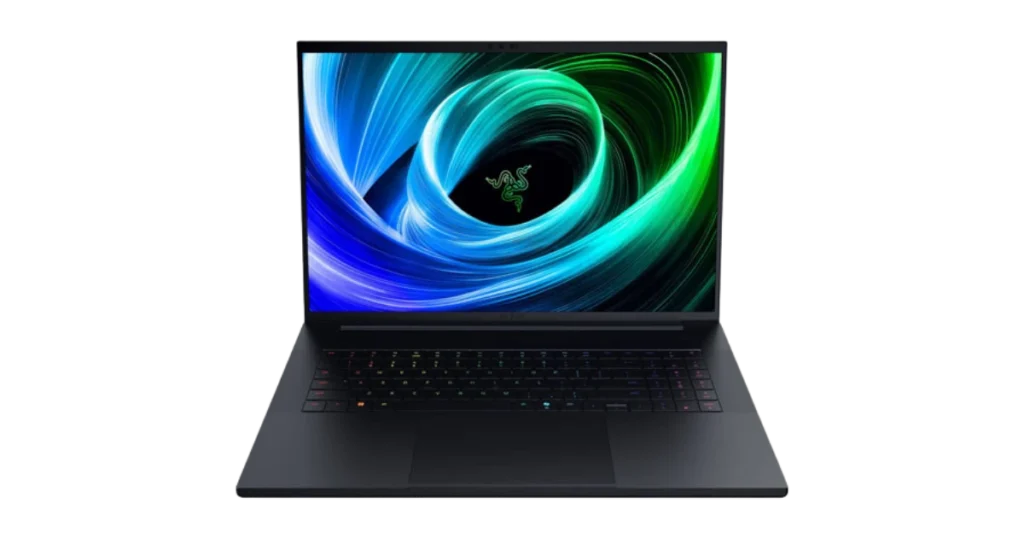
Given its spacious screen and high power output in an elegant design, the Blade 18 is definitely among the most excellent laptops available on the market. The high price tag makes it less likely to be bought by many consumers; however, comparing it with a 16-inch MacBook Pro is possible. The performance of our test unit was blazingly fast due to the presence of the Core Ultra 9 275HX CPU, 64GB of RAM, and RTX 5090 graphics card; these specs are near the best when it comes to PC laptops. It can switch between 4K at 240Hz and 440Hz at full HD resolution, making it ideal for gamers as well. Having a 2TB SSD is great for creators, while the battery life, though not too long, is adequate.
Who It’s For
Artists and engineers (who also game): Those people who require power the most will be delighted with the specs of the Blade 18. Due to the premium hardware, amazing display, generous storage capacity, and stylish design, the Blade is truly unbeatable as the Windows laptop for creatives, especially since portability won’t really matter here. When work ends, the Blade becomes an ultimate gaming laptop.
Specs & Configurations
| Class | Gaming |
| Processor | Intel Core Ultra 9 275HX |
| RAM (as Tested) | 64 GB |
| Boot Drive Type | SSD |
| Boot Drive Capacity (as Tested) | 2 TB |
| Secondary Drive Type | SSD |
| Secondary Drive Capacity (as Tested) | 2 TB |
| Screen Size | 18 inches |
| Native Display Resolution | 3840 by 2400 |
| Touch Screen | No |
| Panel Technology | IPS |
| Variable Refresh Support | G-Sync |
| Screen Refresh Rate | 240 Hz |
| Graphics Processor | Nvidia GeForce RTX 5090 Laptop GPU |
| Graphics Memory | 24 GB |
| Wireless Networking | Wi-Fi 7, Bluetooth 5.4 |
| Dimensions (HWD) | 1.1 by 15.7 by 10.8 inches |
| Weight | 7.06 pounds |
| Operating System | Windows 11 Home |
| Tested Battery Life (Hours:Minutes) | 5:43 |
Pros & Cons
Powerful, removable RTX 5070 GPU
Modular, customizable design
Helpful DIY and upgrade guides
Unparalleled connectivity
Middling battery life
DIY edition and upgrades could overwhelm the average user
Why We Picked It
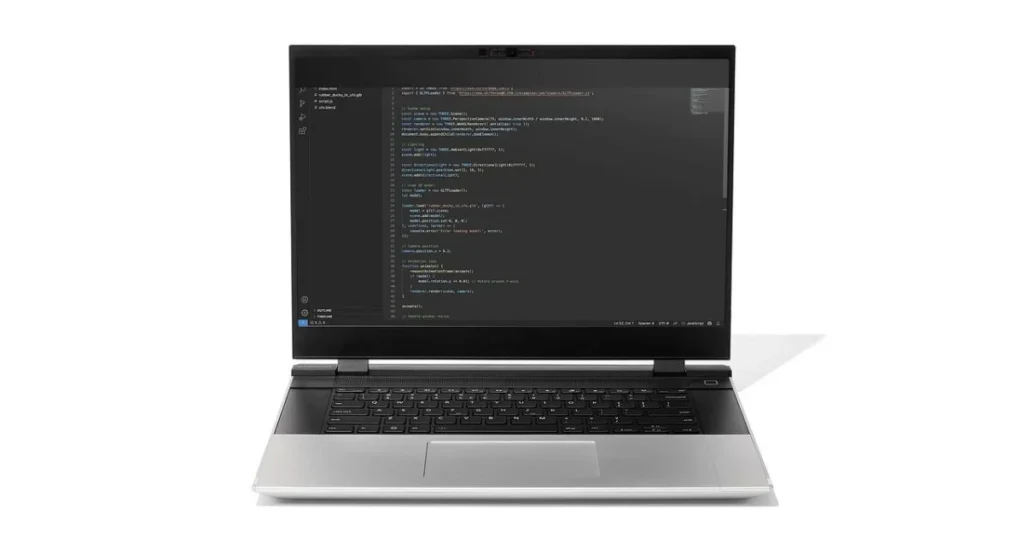
The MacBook Pro is customizable when buying, but what about if you would like to customize just about everything else? The Framework Laptop 16 allows for just that; customization of pretty much all the parts, down to choosing your own memory, storage, operating system, and even ports. This means you could buy the system almost naked and add the extras yourself later on, or customize the whole thing. It even has an optional, removable Nvidia GeForce RTX 5070 GPU for graphics muscle, making it a strong MacBook Pro alternative for GPU-bound workflows. That GPU, when combined with the AMD Ryzen AI 9 HX 370 CPU in our test model, can deliver blistering results.
Even though it is bulkier compared to the 16-inch MacBook Pro, the portability is satisfactory considering how powerful the computer is, alongside its modularity. The combination of the high processing speed, connectivity, and useful information on performing upgrades and modifications makes it stand out
Who It’s For
Tinkerers: While the MacBook Pro doesn’t allow for any upgrades or modifications in most cases, that isn’t an issue with the Framework Laptop 16, which will offer maximum customizability. The other systems are much more like 1:1 alternatives to the MacBook, whereas this particular build would work equally well.
Media editors: The superior processor and powerful graphics processing unit in this laptop make it an excellent choice for video editors and content producers. Another strength that can be beneficial for creative professionals is the unparalleled connectivity options offered by this laptop.
Specs & Configurations
| Class | Desktop Replacement |
| Processor | AMD Ryzen AI 9 HX 370 |
| RAM (as Tested) | 32 GB |
| Boot Drive Type | SSD |
| Boot Drive Capacity (as Tested) | 1 TB |
| Secondary Drive Type | – |
| Secondary Drive Capacity (as Tested) | – |
| Screen Size | 16 inches |
| Native Display Resolution | 2,560 by 1,600 |
| Touch Screen | No |
| Panel Technology | IPS |
| Variable Refresh Support | G-Sync |
| Screen Refresh Rate | 165 Hz |
| Graphics Processor | Nvidia GeForce RTX 5070 Laptop GPU |
| Graphics Memory | 8 GB |
| Wireless Networking | Wi-Fi 7 |
| Dimensions (HWD) | 0.82 by 14 by 11.4 inches |
| Weight | 5.29 lbs |
| Operating System | Windows 11 |
| Tested Battery Life (Hours:Minutes) | 7:04 |
the MacBook Pro is a beautifully designed machine. But Apple gives you just two screen sizes, and that’s that. Windows laptops are a whole different story. You can go as compact or as large as you need, from sleek everyday designs you can throw in a bag without a second thought, to big 17-inch and 18-inch powerhouses built for serious graphic design, video editing, or coding sessions. Whatever your creative setup looks like graphic design, video editing, or coding there’s a Windows laptop out there that feels like it was made for you.
Generally speaking, smaller laptops tend to favor portability over raw processing power — and that’s perfectly fine for many users. On the other end 16-inch MacBook Pro is clearly built for those who need serious performance above everything else. Within Apple’s own lineup, the MacBook Air remains the go-to choice for everyday portability, while the MacBook Neo sits at the more accessible end of the price range, making it Apple’s most affordable way into the Mac ecosystem.
There are a few things Windows laptops offer that the MacBook lineup simply doesn’t. Touchscreen support is completely absent across all MacBook models a feature many modern users now consider standard. Although Apple has tried out the Touch Bar – a flexible touchscreen placed above the keyboard in some MacBook Pro models – it was eventually discontinued. It implies that there is currently not even one touch input device in the MacBook lineup. On the contrary, most of the laptops running Windows are fitted with touchscreen technology.
Many convertible laptop models, ranging in size from 13 to 14 inches, come in the market from different manufacturers, including Dell, HP, Lenovo, etc., but it is uncommon for large and more robust laptops to have a convertible design. While all users do not need a touchscreen, there are benefits associated with having one. For some creative people, the availability of a touchscreen can be essential for the user experience.
However, we’re back to the real deal. Picking up a screen is part preference, part travel, and part what kind of power you’re looking for, since the 16-inch MacBook Pro can offer up more than those smaller models can handle. But if all you need from your laptop is a little bit of power, like that offered by a 13-inch MacBook Pro if they made that anymore, then you’d probably be alright with something similar-sized in Windows, and so forth.
The priciest Windows content-creation laptops and mobile workstations will feature 4K screens up to 18 inches. If you want to draw digitally, look for systems that combine high resolution or OLED technology with a touch display and a pen for the best of both worlds—something that MacBooks can’t offer. Touch tends to top out at 15- or 16-inch panel sizes, though, in most models.
The Processor Landscape: What Competes With Apple’s Chips?
Although those people who just fancy using macOS and its overall aesthetic appeal might make do with the MacBook Air, for the more serious creatives that require better hardware and features optimized for creativity, the MacBook Pro is the one to go for. Those people whose job involves photo and video editing, animation, VR authoring, music production, and many other professions stand to gain much from faster hardware. Some of the models we recommend as best for video editing also provide some insight on this topic.
Apple “M” Chips, Explained
Apple’s M1 chip launch in late 2020 has allowed for the first record-breaking performance; all previous Mac models were powered by Intel CPUs. As such, all other Macs are now powered by either M4, or M5-series chips including the new MacBook Air and Pro models, respectively.
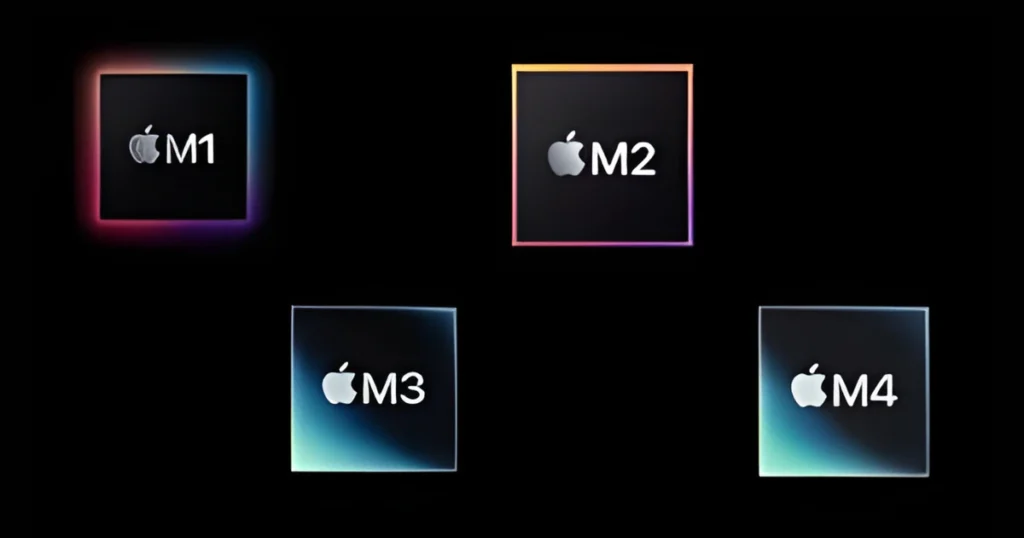
The System on Chip (SoC) of Apple has been proven to execute both the processing requirements of a laptop as well as the graphical processing requirements to an impressively high level based on test results to date. The M1 architecture was designed to meet the processing needs of all new Apple Laptops and Desktops; therefore all current and future Apple Laptops and Desktops will feature a new SoC at varying levels of power.
The M1 generation was a stepping stone towards forming a type of “Apple Architecture” for silicon, wherein they created an “M1” (the base chip) and also created two other more powerful chips, “M1 Pro” and “M1 Max”. This architecture continued in 2023 with the release of m2 variants, which will eventually be phased out for “M3 Pro” and “M3 Max”, etc. Currently, all of Apple’s available systems utilize either an M5, M5 Pro, or M5 Max processor. During the launch of M5 series of MacBook Pro (14-inch) and MacBook Pro (16-inch) with M5 Max in early 2026, we evaluated both models. Both of these chips, as well as the M5 Pro chip, represent the level of which your Windows PC needs to compete
Apple’s transition to using its silicon was significant; however, the result has provided Apple with more design freedom that has allowed for the ability to optimise both the hardware and software of Apple’s products. To stay competitive, you will want to select a very fast AMD or Intel CPU for your new Windows laptop as compared to what you would have selected in previous editions. It is important to note that the 13 inch and 14 inch models will deliver less power than those with screen sizes of 15 inches or larger; therefore, generally speaking, the larger models are designed for daily workloads.
The Windows CPU Alternatives
Although AMD has made a spectacular return in recent years, Intel’s Core CPUs have long dominated the Windows market. When it comes to media editing tasks, its Ryzen CPUs excel. Although these are the most well-known lines, Intel also introduced its AI-ready Core Ultra CPUs in 2023, removing the “i” from the name and adding neural processing units (NPUs) to the chips.
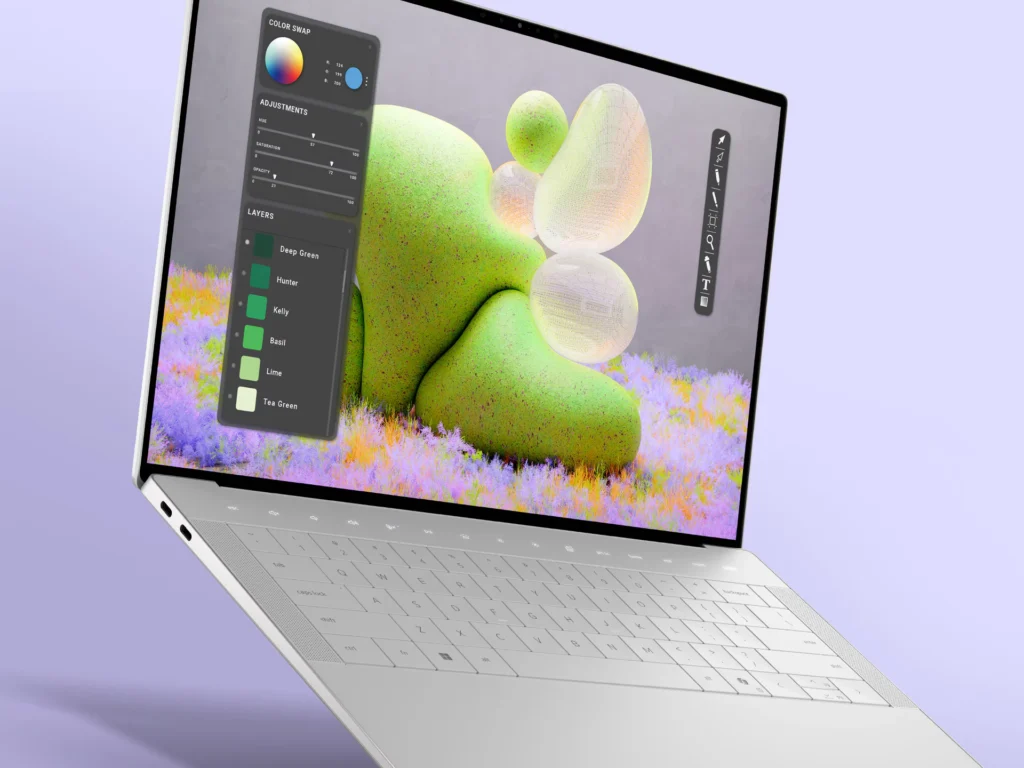
An NPU manages AI-driven tasks and workloads, freeing up a processor’s CPU and graphics processor, and you’ll find more processors with NPUs in thin-and-light laptops than Core i or basic Ryzen. These are fairly similar to their generational Core i predecessors, so don’t pass them up if the AI capability doesn’t appeal to you. Many powerful Windows laptops now use Intel Core Ultra 7 or 9 processors.
In addition, Qualcomm with its Arm-based Snapdragon X and X2 CPUs are now major runners-up in Windows laptops. These CPUs, like Intel’s Core Ultra offerings, are AI-centric and have NPUs. Snapdragon X’s appearance began with the launch of Microsoft’s Copilot+ PC initiative; Qualcomm was the first chip vendors to include powerful, NPU-equipped CPUs in Copilot+ laptops at launch.
Following that launch, Intel and AMD debuted their Copilot+ PC-compliant “Lunar Lake” (Core Ultra 200V series) and “Strix Point” (Ryzen AI 300 series) generations later in the year, which we first evaluated here and here. Intel followed up with the “Arrow Lake” mobile processors, and most recently debuted the “Panther Lake” Core Ultra 3 Series chips. Panther Lake focuses on enhanced integrated graphics functionality, as you can see in our first tests, and offers the most robust NPU yet from Intel.
Some MacBook-like laptops now use Arm-based Snapdragon processors, which are gaining traction despite Windows compatibility concerns. Our first Snapdragon X laptop review, the 2024 Microsoft Surface Laptop, includes a lot of important information, as do our Snapdragon graphics and compatibility testing articles. Snapdragon compatibility is constantly increasing; several of our top-rated laptops from the previous year (such as the Asus Zenbook A14) work on it.
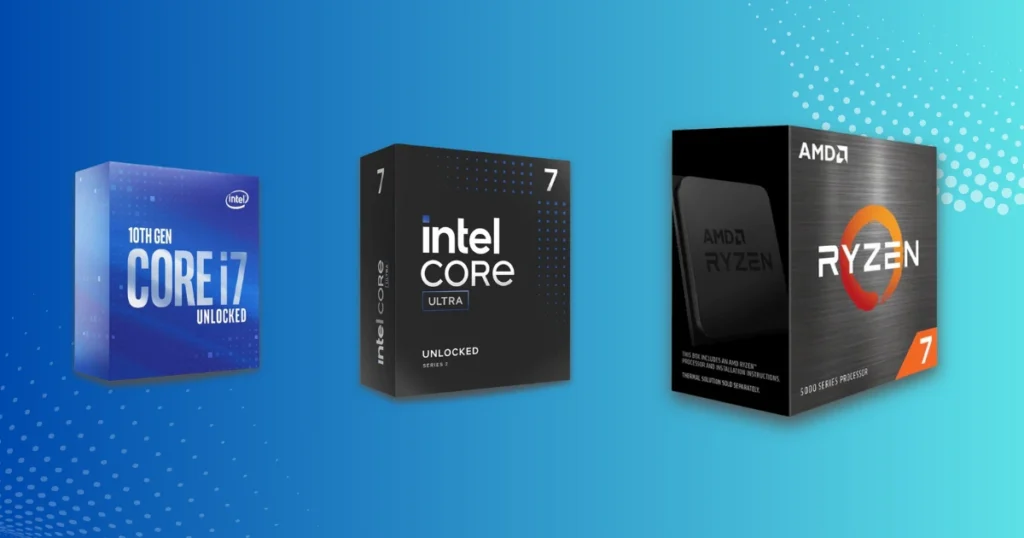
Core i7, Core Ultra 7, and Ryzen 7 processors are commonly used in 13- and 14-inch laptops for creative professionals. Some base models may include Core i5, Core Ultra 5, or Ryzen 5 processors, which are enough for everyday productivity but fall short of the power required for professional work.
Most mainstream and power-user laptops 15 inches and up will use Core i7, Core Ultra 7, and Ryzen 7 processors or upgrade to the blazing 9-series tier. The latter provide full workstation-grade performance and can compete with the greatest M-series CPUs found in MacBook Pros.
Bottom line: If you are looking for a robust mobile workstation to replace your 16-inch MacBook Pro, choose a Ryzen 9, Core i9, or Core Ultra 9 processor.The Core Ultra chips and related NPUs accelerate processes or minimize the pressure on background operations, which may benefit content creators. If you can live with anything less powerful, Core i7 and Ryzen 7 are the best options for the 14-inch MacBook Pro.
Some of the laptops selected here have enormous core and thread counts, despite being from the latest processor generation. The finest of them have as many as 20 cores (28 threads) at the Core i7 level and 24 cores (32 threads) at the Core i9. Most of our recommendations use CPUs from the current Intel 14th Gen “Raptor Lake Refresh” line, Intel’s Core Ultra 200 and 300 series, and AMD’s Ryzen 8000 and Ryzen AI 300 series.
However, current CPUs are significantly more than just the number of cores. Exactly why requires more information than we have space for here, but given the complex microarchitectures and synergies that chipmakers are building these days, comparisons based on paper specifications are no longer as helpful as they once were. Read our laptop reviews’ performance testing sections to see how they compare. Check out our in-depth tutorial on how to choose between today’s laptop processors.
Dedicated Graphics: Assessing the Laptop’s GPU
Many of the creative workloads listed below require a powerful GPU (such as video editing, encoding, streaming, modeling, and animation). Discrete laptop graphics processing units aren’t as fast as the corresponding graphics cards in top gaming desktops, but contemporary mobile GPUs are still pretty powerful.
Remember that not every creative professional requires a laptop with a discrete GPU. If your task is more processing- or data-intensive than visual, allocate less of your resources to a powerful GPU and more to the processor and memory. A notebook with integrated graphics may be sufficient for your needs, or at least an entry-level GPU rather than a high-end one.
With the introduction of the “M” architecture, MacBooks no longer use a discrete GPU from Nvidia or AMD in addition to the processor. If you choose a discrete GPU for your Windows laptop, you’ll receive one from one of those two graphics behemoths (or, in rare cases, Intel). Despite modest gains by AMD and early efforts by Intel, Nvidia remains the leading player with its GeForce (consumer and gaming) and RTX A series (workstation, formerly known as Quadro) GPUs. We don’t see many laptops equipped with AMD Radeon RX discrete GPUs.
Nvidia’s GeForce and A series both use the RTX designation to refer to the company’s complex, ray-tracing-capable GPUs. The A series GPUs perform well in CGI rendering and CAD applications for animators, VFX professionals, engineers, and anyone involved in visual production and modeling. Nonetheless, our suggested laptops include more GeForce GPUs, which are popular for both content creation and gaming.
The first series features the new RTX 5050 and 5060 as well as the RTX 4050 and 4060 from Nvidia’s previous generation. For routine multitasking jobs, they will be sufficient. In case you demand top performance in terms of Apple CPUs, then the RTX 5070 Ti, 4080, 4090, 5080, and 5090 are for you.
Most integrated GPUs from AMD and Intel cannot compete with Apple’s M-series graphics performance. Intel’s “Panther Lake” platform, on the other hand, offers competition in the shape of new integrated graphics chips, so look for Core Ultra CPUs bearing the “X5” and “X7” designation.
Memory, Storage, and Connectivity: What Do You Need?
In-house specifications for a laptop include memory and storage. Fortunately, translating from Mac-land requires little effort. All systems follow the same rule: more is better. More storage allows you to save larger media files and projects, while more RAM allows your computer to do many tasks at once.
However, this option has gotten more difficult (and expensive) this year, with memory and storage shortages afoot due to demand for chips from AI cloud companies for their data centers. This issue has caused certain companies’ laptop costs to rise recently, so read our guide on deciding how much RAM you require before purchasing your next high-power PC notebook.
When buying a professional laptop, remember that the minimum amount of memory should be 16GB. By the way, now a lot of affordable models are sold with 16GB RAM instead of 8GB. When using such applications as video editors, it is recommended to use 32GB or higher. No professional creator will agree to have less than 32GB of memory on his notebook, while some users will prefer even 64GB or 128GB. Concerning the hard disk, it should contain no less than 1TB SSD, while 2TB or higher is preferred when working with 4K video.
Ports are another thing to consider. For the everyday person, a couple of USB ports will suffice, but for creative people, things may differ. USB-C is the current standard for thin computers, yet it makes a significant difference when transferring huge data. Most laptops used by creators, like as the MacBook Pro, feature Thunderbolt 3 or 4 ports that connect via USB-C. The larger laptops may additionally have USB Type-A ports.
USB is not all that is required by content creators. There are monitors that depend on USB, and even DisplayPort monitors that require adapters to plug into the Thunderbolt port. However, most people like dedicated ports that output videos using either the HDMI or DisplayPort connections. SD card readers are also useful to some individuals, such as photographers
How Much Should You Expect to Spend?
In general, professional-grade computers are expensive. Smaller, less powerful machines offer lower starting points, but you’ll probably need to upgrade some components or features to meet your requirements.
The starting price of the 14-inch Apple Macbook Pro is $1,699. While there are excellent Windows laptops available at or even lower than that price range, the bigger models of the Macbook Pros belong to the more powerful category of laptops and hence cost much more.
Apple computers are known for demanding a premium, but top-tier Windows laptops are also expensive. With modern computers, performance, capacity, and display quality take precedence above pure value, and a loaded MacBook Pro or Windows mobile workstation can easily cost more than $4,000.
Which MacBook Pro Alternative Should You Buy?
With the primary criterion established, we’ve chosen our best selections as worthy alternatives to the MacBook Pro. Whether you’re planning a corporate transfer from macOS to Windows, pondering the switch for the sake of certain applications, or selecting your first professional laptop, one of these solutions will undoubtedly meet your demands.Some are thin and light alternatives to the 14-inch MacBook Pro, while others are more akin to professional workstations, like as the 16-inch variant. All of them meet the basic specifications and feature criteria outlined above, and most can go you as far as you wish.